

Pair kinds

Kind chips in the toolbar.
The filter panel
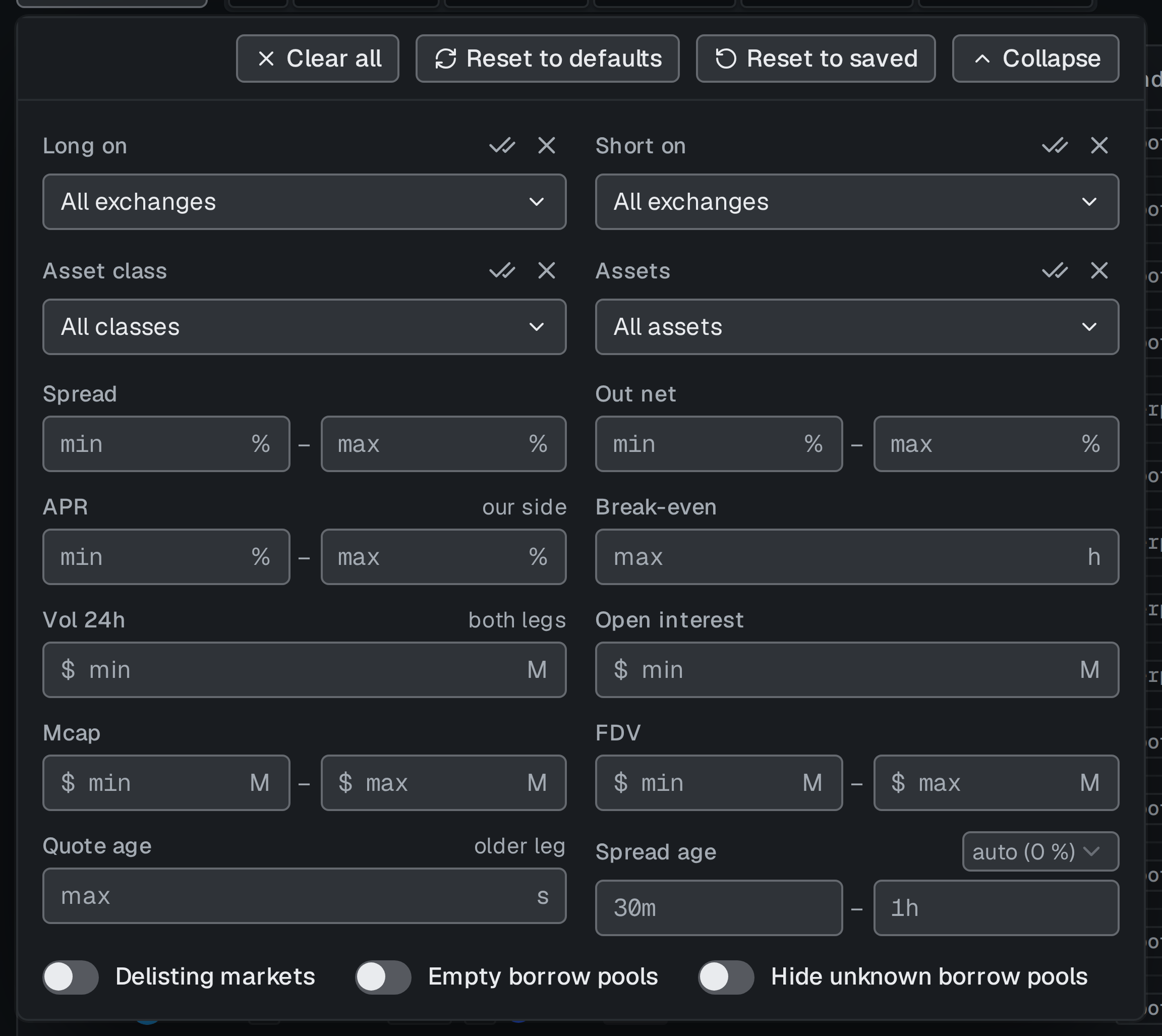
The filter panel opened with the Filters button.
Three switches at the bottom:
- Delisting markets: show directions where a market is being delisted. Hidden by default because their spreads are often misleading.
- Empty borrow pools: show margin directions where nothing is left to borrow. Hidden by default because the short cannot be opened.
- Hide unknown borrow pools: hide margin directions where the exchange does not report what is left to borrow.
Buttons
- Clear all removes every filter, including the default ones. All kinds, exchanges and classes are back.
- Reset to defaults returns the page to no filters, all kinds, sort by spread, default columns and row height.
- Reset to saved discards unsaved changes and returns to the last saved state of this page.
- Collapse closes the panel. Active filters stay and are listed as chips next to the Filters button.