The view is chosen with the switch at the top left of the scanner and is saved with the page.
Buttons Table, Coins, Split and Matrix

The view switch.

Table

One row per direction, sorted by the chosen column. This is the default view and the one described in Reading a row.

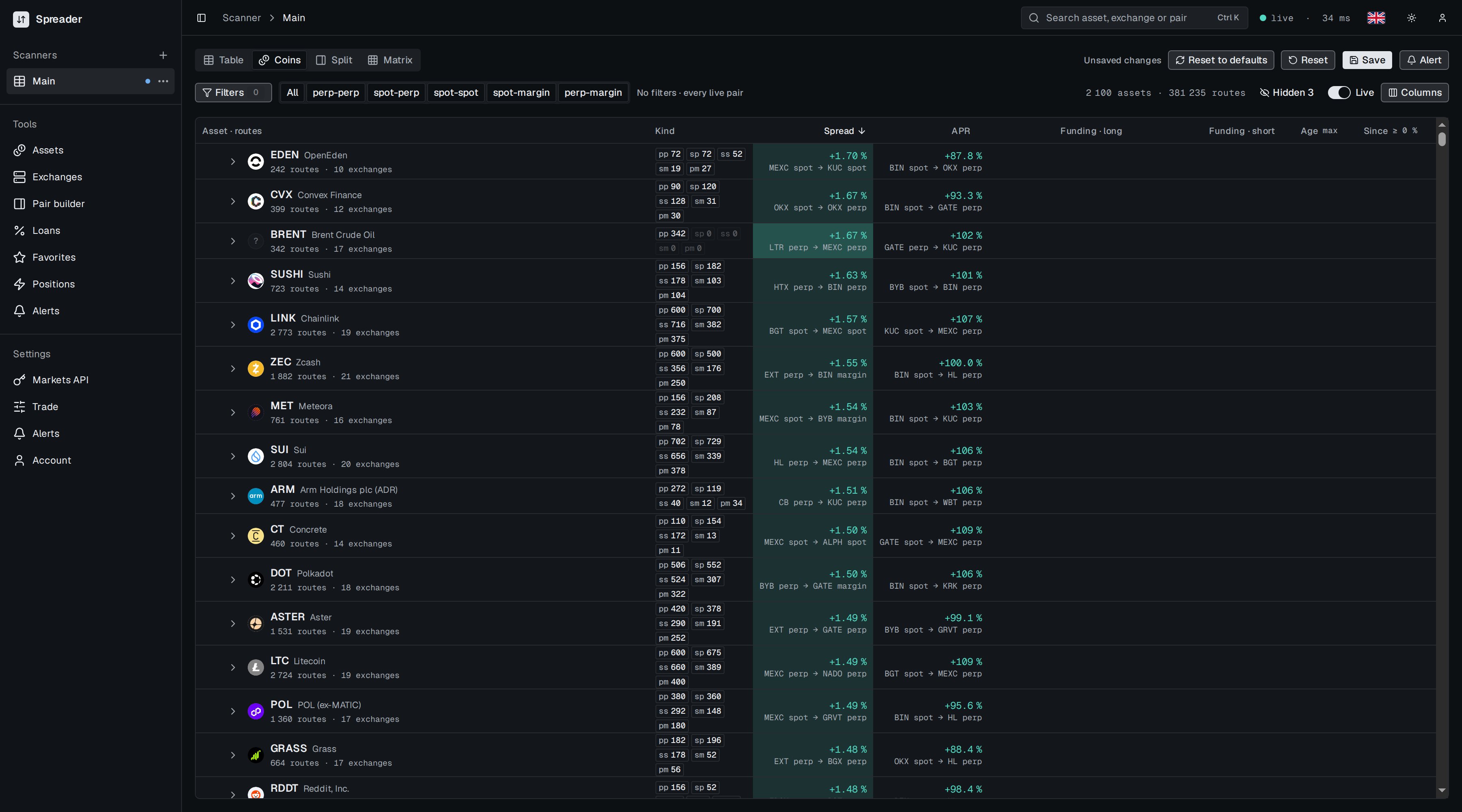
Coins

Coins view with assets, route counts per kind, best spread and best APR

Coins view: one row per asset with its best spread and best APR.

Rows are grouped by asset. Each row shows how many directions (routes) the asset has by kind, on how many exchanges, and the best spread and best APR among them with the legs that give them. Click the arrow to expand the asset and see its routes. The counter at the right shows assets and routes.

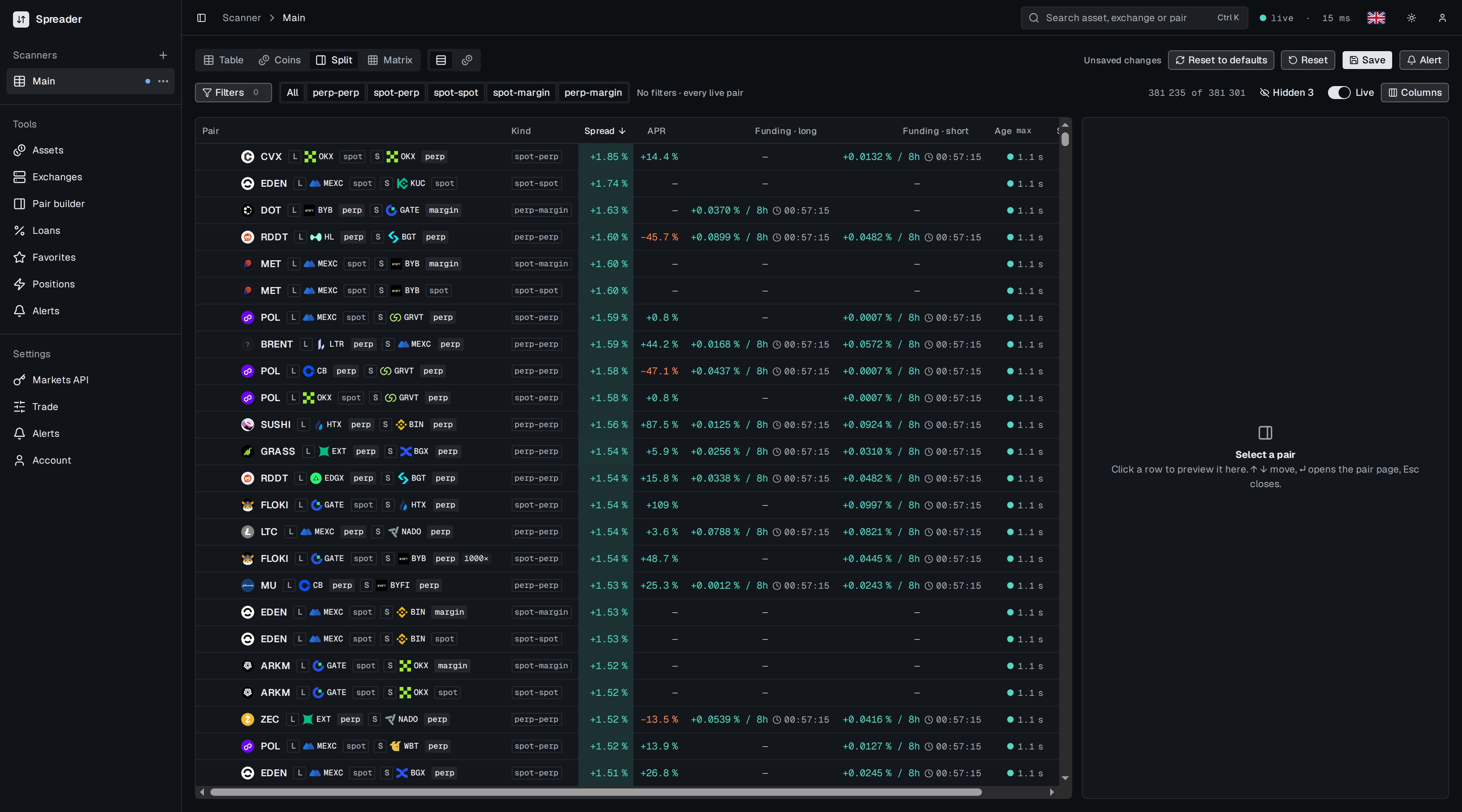
Split

Split view with a narrower table and an empty preview panel that says Select a pair

Split view: the table on the left, a preview panel on the right.

The table takes the left side and a preview panel the right. Click a row to preview the direction without leaving the scanner. Arrow keys move between rows, Enter opens the full spread page, Esc closes the preview.

Matrix
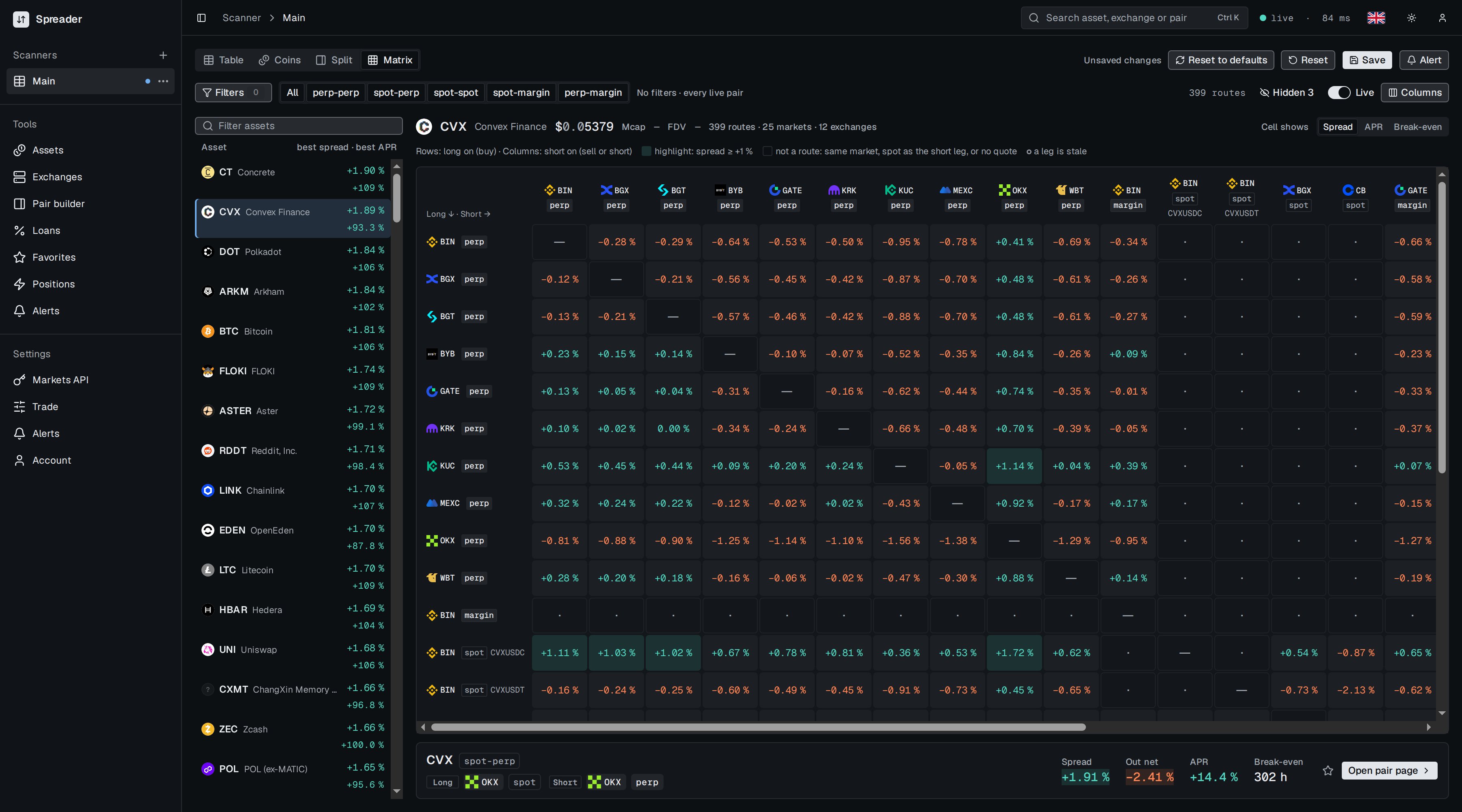
Matrix for one asset with exchanges on both axes and spread values in cells

Matrix view: one asset, long exchanges in rows, short exchanges in columns.

Pick an asset in the list on the left. The grid shows every direction for it: rows are the market you go long on, columns the market you short. Cell shows switches the cell value between Spread, APR and Break-even. Highlighted cells pass a fixed mark: spread at or above +1 %, APR at or above 100 %, break-even at most 24 hours. A dash means not a route, for example the same market on both sides or a spot market as the short leg. Click a cell to see the route below the grid and open its spread page.