

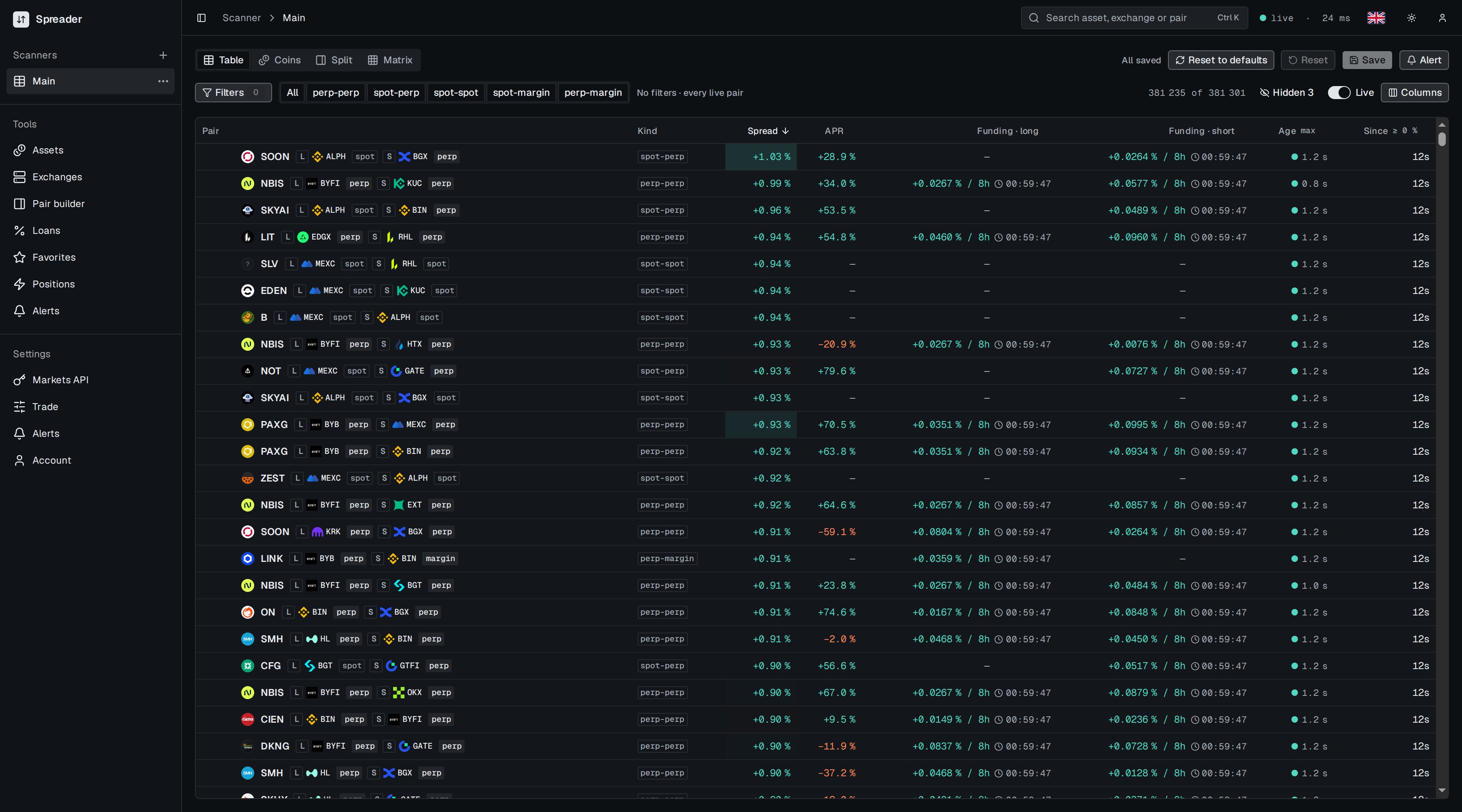
The scanner with default columns.
Parts of the page

Top bar: view switch on the left, save state and actions on the right.
- View switch: Table, Coins, Split or Matrix. See Views.
- Save state:
All savedorUnsaved changes. Filters, columns, sort and view are saved per page with Save. See Scanner pages. - Alert creates an alert rule from the current filters or follows this page.

Toolbar: filters, pair kinds, row counter, Live toggle and Columns.
- Filters opens the filter panel. The number next to it is how many filters are active. See Filters.
- Pair kinds limit the table to one kind of direction. See Pair kinds.
- Counter shows how many rows pass the filters out of all live directions.
- Live pauses and resumes updates. While paused, the counter shows how many updates are waiting.
- Columns chooses columns and row height. See Columns.
What a row means
A row is one direction of one pair. The same two markets can appear twice, once in each direction, when both markets can be shorted. Spot cannot be shorted, so a spot leg is always the long leg, unless the exchange lets you borrow the coin on margin, which is thespot-margin and perp-margin kind.
See Reading a row for every column.